How to Request Access Token
In order to make transactions with Dipay API products, business clients need to be authenticated first and get an Access Token. After granted access, the access token can be used to access other API. To get Access token, you need to use Asymmetric Signature. You need to input your Public Key in your Dashboard. Go to Settings >> Developer Option >> SNAP Credential tab.
Prerequisites
Before requesting Access Token, you need to:
- Register IP Address
- Have our API products Activated.
- Register Public Key: RSA 1024 Public Key
Steps to Get your Credential

- Login to your Dashboard and go to Settings >> Developer Options >> SNAP Credential. Ensure to log in as Superadmin or Developer in order to be able to access this menu.
- In this menu, you will find your Client Key, Client Secret (Secret Key), and field to input your Public Key.
URL to Request for Access Token
Header Parameters
Request Body
Response Body
Response Codes
{
   "grantType":"client_credentials"
}
curl -X POST "https://partner-b2x.dipay.id/api/bi-snap/v1/access-token/b2b"
-H "Content-Type: application/json"
-H "X-TIMESTAMP: 2026-08-11T10:10:06+07:00"
-H "X-CLIENT-KEY: YOUR_CLIENT_KEY"
-H "X-SIGNATURE: YOUR_SIGNATURE"{
"responseCode":"2007300",
"responseMessage":"Successful",
"accessToken":"eyJhbGciOiJIUzI1NiIsInR5cCI6IkpXVCJ9.eyJqdGkiOiJiZjFmM2Q3ZS1kOTA3LTRkOWItODJlNC02Y2IxZGYxOTBlOWUiLCJjbGllbnRJZCI6IjZhZTk1N2M0LTI4NjMtNDcxMy1hY2NlLWJhMTJkZTYzNmNmYyIsIm5iZiI6MTYxMTQ2ODg1NiwiZXhwIjoxNjExNDY5NzU2LCJpYXQiOjE2MTE0Njg4NTZ9.-7HRhcyEh4y0qsG2H3DRdu0AeYv3MEJHfWRKhRBYcNU",
"tokenType":"Bearer",
"expiresIn":"900"
}
SNAP Digital Signature
Asymmetric Signature
You will need to generate a pair of public and private keys for the authentication process. The public key will be shared to the provider so that the provider will be able to verify the signature for the authentication process. The public key will need to follow standards such as PKCS#1 format.
Symmetric Signature
Symmetric signature use Client ID and Client Secret that is provided by Dipay.
Setting up credential needed for authentication (Input public key and obtaining Client Secret and Client ID) can be done in your Dashboard. Go to Setting >> Developer Options >> SNAP Credential tab.
Accessing API with Digital Signature
In order to be able to access our API, you need to input these information in the header.
Authentication for Callbacks
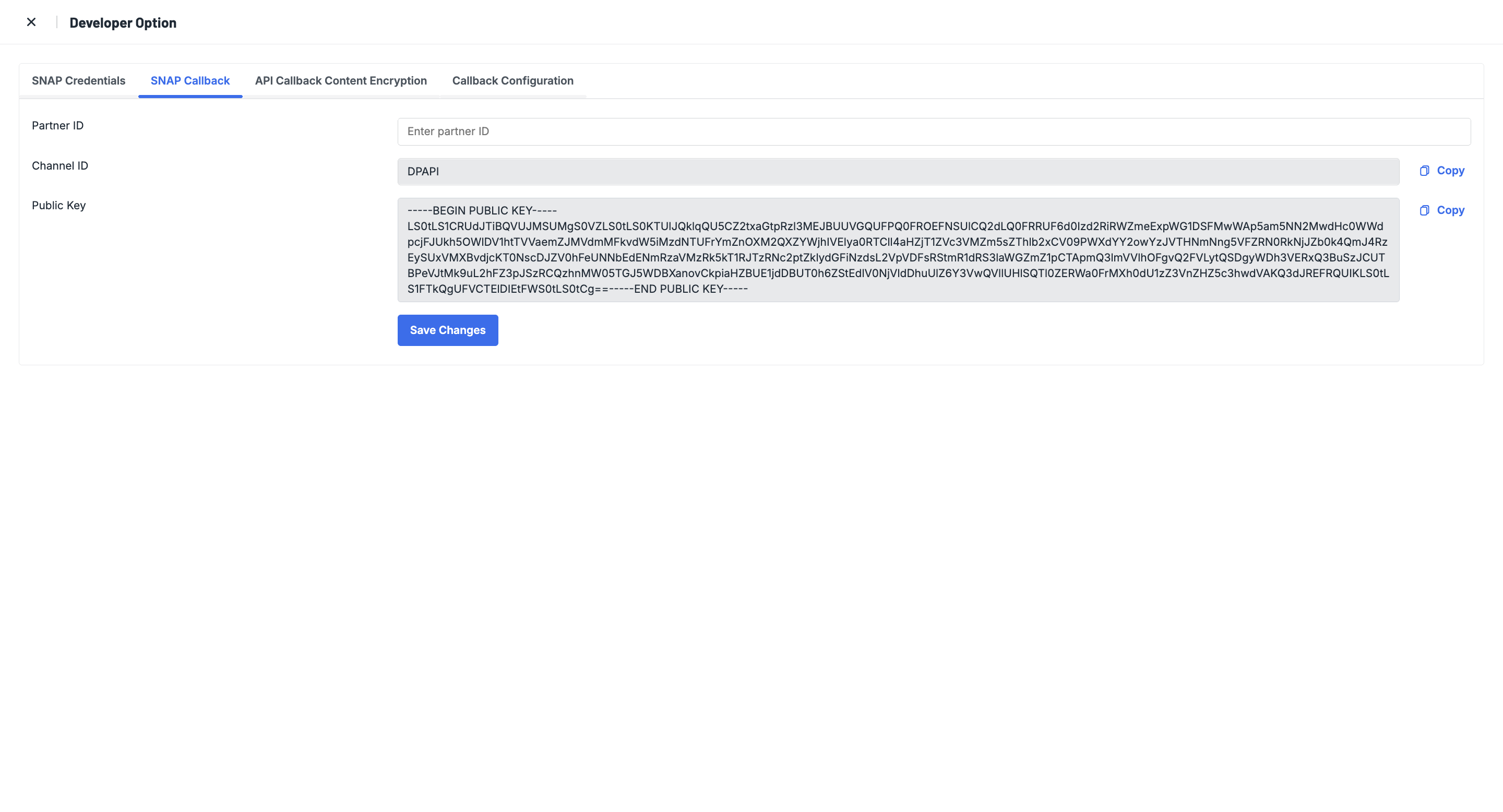
To increase security, we provide an authentication process in sending callback process thatwill use Asymmetric signature. To manage credentials for callbacks authentication, you can go to Settings >> Developer Option >> SNAP callback.
You will need to:
- Provide Partner ID for Dipay.
- Channel ID should use "DPAPI".
- our Public and Private Key will be provided by Dipay. You need to copy the Public Key we have provided for you.
- You do not need to sign using access token, only required pair of Public and Private Key.
X-SIGNATURE in Callback
X-SIGNATURE = SHA256withRSA(private_key, stringToSign)
stringToSign = HTTPMethod +”:“+ EndpointUrl + ”:” + Lowercase(HexEncode(SHA-256(minify(RequestBody)))) + ":“ + “X-TIMESTAMP”